 Inspiration boards
Wedding inspiration organized in boards, with no lost screenshots
Ten ready-made boards, from venue and flowers to cake and honeymoon. Paste a Pinterest pin's link and it lands on the right board, and the ceremony and party music is kept beside it, from any service.
 Coming soon to iPhone
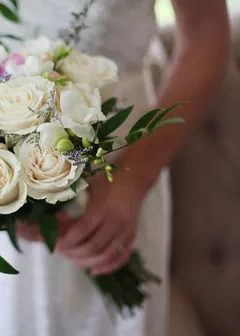
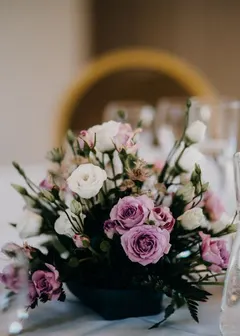
 Florals
 Stationery
 Photos
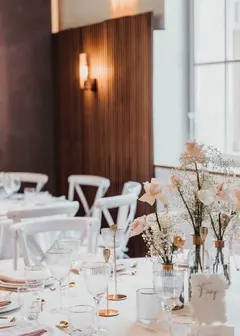
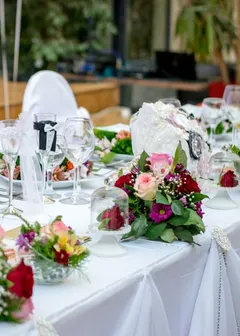
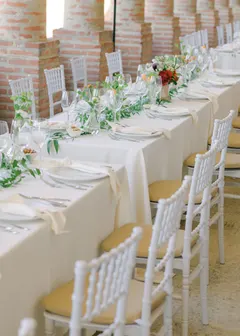
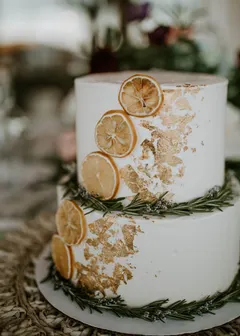
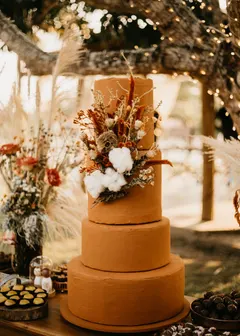
Wedding references get lost between screenshots, tabs and chats
Almost every couple starts planning by saving ideas: a bouquet here, a table there, a cake that caught the eye. They end up scattered across screenshots, dozens of Pinterest folders and links sent to oneself.
When it is time to explain to the photographer, the florist or the decorator what you want, nobody can find the picture. And since you are two people with similar but not identical tastes, each keeps references in a different place.
Ring gives you a board for each subject of the wedding, inside the same app where the plan is. References stay organized, and you take the boards into the conversations with vendors.
How the inspiration boards work
The Ideas tab gathers the boards. The pictures stay on Pinterest: Ring keeps the link and shows the pin's image.
1
Search for ideas that already look like you
Each subject has a shortcut that opens a Pinterest search with your wedding's color, and the party's size when it is small. You land on what makes sense right away.
2
Paste the pin's link
On Pinterest, tap share, copy the link and paste it on the board. Ring reads the pin and brings in the image. There is no photo upload.
3
Organize by board
There are ten: venue, flowers, attire, hair and makeup, table and decor, cake, invitations and stationery, music, photos and honeymoon.
4
Keep the music
On the music board, paste the link of a playlist from Spotify, YouTube, Deezer, Apple Music, Amazon Music, Tidal or SoundCloud, for the ceremony, the party and the first dance.
Made to keep what matters, without becoming one more task
One board per subject
The ten boards come ready, so there are no folders to create and no names to invent. Each board shows a mosaic of the latest images saved.
No uploads and no screenshots
A pin is only a link: the picture stays where it is, on Pinterest, and opens there with a tap. No filling up your phone's gallery, no duplicate files.
Music from any service
The music board takes playlists from seven services. Links that are not music are refused, so the board does not turn into a dumping ground.
Next to the plan
The boards live in the same app as the plan, the invitation and the guests. When the plan asks you to pick the photographer or the caterer, the references are a tap away.
Inspiration boards: frequently asked questions
How do we organize wedding ideas from Pinterest?
Paste a Pinterest pin’s link into one of Ring’s ten wedding boards, from venue and flowers to cake and honeymoon. Ring shows the pin’s picture and keeps its link, so nothing is uploaded and nothing gets lost in screenshots. Playlists for the ceremony and party go on the music board, from any service.
Does Ring store my photos?
No. Each pin is only a link, and the image stays on Pinterest. To remove one, press and hold the pin: it leaves the board and stays where you found it.
Do I need a Pinterest account?
To find pins, it helps to have one. But Ring does not connect to your account: you copy a pin's link on Pinterest and paste it on the board.
Can I save playlists from any music app?
From Spotify, YouTube, Deezer, Apple Music, Amazon Music, Tidal and SoundCloud. A link of another kind is refused.
Can I create my own boards?
The boards are ten and fixed, made for the subjects every wedding has. The idea is to leave nothing to organize.
Does my partner see the boards?
Yes. The boards belong to the wedding, and whoever plans with you sees them and adds pins from their own phone.
More from Ring
See all features



Ring takes care of the planning. You enjoy the way to “I do”.
A few questions and you already know what needs doing now.
Coming soon to iPhone